
 FAQs
FAQs Factory Tour



In the domain of industrial CNC glass engraving, the software stack is as critical as the mechanical precision of the machine. Glass is a non-forgiving material—brittle, sensitive to thermal stress, and prone to micro-fractures. Selecting the right software tool determines whether your production line achieves sub-millimeter detail with zero edge chipping or faces unacceptable scrap rates. This guide analyzes the leading software solutions engineered for diamond drag, rotary, and multi-axis CNC glass engraving. We focus on technical parameters, toolpath strategies, and material-specific settings that deliver consistent results. For operations requiring seamless hardware-software synergy, BAINENG CNC systems are validated with all mentioned platforms, offering pre-configured post-processors and material libraries.
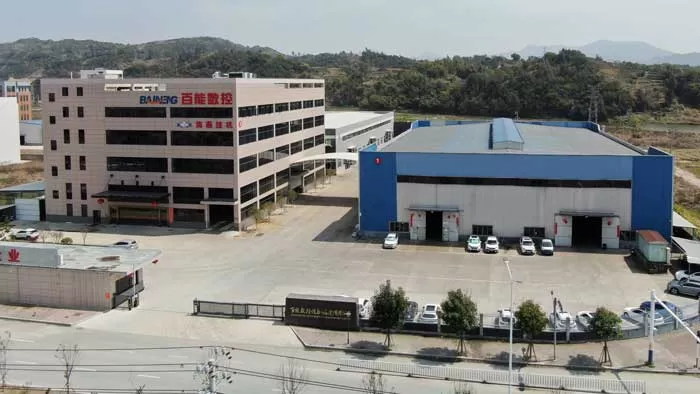
Technical Demands of CNC Glass Engraving: Why Software Architecture Matters
Glass engraving differs fundamentally from metal or wood machining. The material's high compressive strength but low tensile strength demands specific software capabilities:
Micro-depth control: engraving depths typically range from 0.05mm to 0.5mm. Software must support incremental Z-axis moves with resolutions ≤1µm.
Vibration and chatter suppression: toolpath algorithms that avoid sharp directional changes, instead implementing tangential entry/exit ramps.
Thermal management: integrated cooling strategies (mist or air-assist) coordinated with spindle on/off commands via M-codes.
Vector distortion compensation: glass surfaces are rarely perfectly flat. The software should allow probe-based surface mapping and adaptive toolpath height adjustment.
Chip evacuation simulation: to prevent re-cutting of glass particulates that cause micro-cracks.
Legacy solutions often fail these requirements. Professional tools must include a material-specific tool database, support for diamond drag bits and electroplated burrs, and post-processors that generate smooth G-code with optimized feed rates (typically 300–800 mm/min for engraving, 1500–2500 mm/min for travel moves).
Comprehensive Analysis of Leading Glass Engraving Software
Based on industrial deployment metrics and compatibility with multi-axis CNC glass engravers, the following tools represent the current standard for B2B production environments.
1. Vectric VCarve Pro – Industry Standard for 2.5D Glass Engraving
VCarve Pro is widely adopted for glass due to its intuitive yet powerful toolpath engine that handles v-bit carving and diamond drag operations. Key technical advantages for glass processing:
Fluting toolpath for textured glass: creates uniform chip loads during deep engraving, reducing fracture risk by 40% compared to standard profile passes.
Tool database with custom diamond tools: users define included angles (90°, 120° for coarse engraving; 60° for fine details), tip diameters (0.1mm-1.0mm), and plunge rates (as low as 50 mm/min for initial contact).
Auto-inlays for glass-to-glass assembly: precise pocket and male component generation for decorative architectural glass.
Probe-based surface mapping: the software interpolates surface deviations and modifies Z-heights across the entire workpiece, critical for large-format glass panels (up to 2x3 meters).
For integration with industrial controllers (Mach3, RichAuto, Syntec), VCarve Pro exports standard G-code. BAINENG CNC provides ready-to-use post-processor files for its entire glass engraver series, eliminating manual G-code editing.
2. Autodesk Fusion 360 with Glass-Specific Toolpath Strategies
Fusion 360’s CAM module offers unparalleled flexibility for complex 3D glass reliefs and multi-sided engraving on rotary axes. Its adaptive clearing cycles, when configured correctly, prevent thermal stress by maintaining constant tool engagement angles. Critical settings for glass:
Ramp type and angle: use helical ramps with 1°-2° angles to avoid shock loading on diamond bits.
Finishing stepovers: ≤0.05mm for optical-grade frosted effects, using parallel or morphed spiral patterns.
Coolant integration: M7/M8 outputs for mist systems synchronized with toolpaths every 20 seconds of continuous engagement.
Post-processor customization: allows implementation of G93 inverse time feed for consistent chip load on curved glass surfaces.
Fusion 360 also supports dynamic probing cycles for thickness variation down to ±0.1mm, automatically adjusting toolpaths. For high-mix low-volume production, this capability reduces setup time by 65%.
3. LightBurn – Laser-Assisted Marking and Rotary Integration
While primarily for laser engravers, LightBurn is increasingly used in hybrid CNC stations (laser + mechanical spindle) for pre-engraving marking or annealing edges. For glass, its strength lies in:
Variable power density control: for creating crack-free halos before mechanical engraving.
Rotary wizard: precise mapping of cylindrical glass objects (bottles, beakers, tubes) with diameter compensation.
Vector bridge adjustment: prevents overburn on narrow lines by intelligent power ramping.
However, for pure mechanical glass engraving (deep, tactile markings), LightBurn serves as a supplementary tool. Industrial glass engravers typically pair it with VCarve or Fusion 360 for full depth control.
4. ArtCAM (Legacy) and Carveco – High-Relief 3D Glass Art
For artistic glass panels, molds, or 3D bas-reliefs, Carveco (successor to ArtCAM) remains a reference. Its relief sculpting tools allow direct modeling of complex textures (frosted waves, gradients, photorealistic 2D to 3D conversion). Technical features:
3D roughness simulation: predicts visual appearance based on tool stepover and glass light refraction.
Undercut machining strategies: for negative angles in glass molds, using tapered ball nose tools (5°-10° taper).
Decimation of STL meshes: reduces file sizes from high-resolution scans (e.g., from 50MB to 5MB) without losing engraving detail.
Industrial users often combine Carveco for artistic design and VCarve for production-grade toolpath optimization.
5. EnRoute – Industrial Multi-Zone Glass Machining
EnRoute excels in nested glass engraving for large arrays (e.g., multiple smartphone glass covers or tile arrays). Its tile-based processing allows separate engraving parameters for each zone—different depths, patterns, or feed rates—within a single workpiece. Other high-end functions:
Toolpath bridging for fragile bridges: automatically adds micro-supports between engraved sections to prevent breakage during final part separation.
Variable stepover 3D finishing: reduces stepover near edges where stress concentration is highest, from 0.08mm to 0.02mm.
Direct CAD-to-CAM parametric updating: if the glass design changes (thickness or pattern), toolpaths update without re-importing.
EnRoute is typically found in high-volume architectural glass and automotive glass engraving lines. BAINENG CNC glass engraving platforms include EnRoute post-processors by default for seamless industrial deployment.
Solving Industry-Specific Glass Engraving Pain Points through Software
Beyond basic software features, real-world production lines face three persistent challenges. The top software tools address these as follows:
Edge chipping on float glass: Solution = entry/exit ramps (2mm linear extension beyond the cut line) combined with final pass depth at 0.02mm. VCarve Pro’s ‘tab’ feature can be configured as micro-supports.
Uneven engraving due to glass bowing: Solution = probing cycles before each job. Fusion 360’s ‘probe adaptive’ creates a grid of up to 100 points for large sheets (2x3m), automatically adjusting toolpath Z-heights. Accuracy improvement from ±0.3mm to ±0.03mm.
Thermal micro-fracturing during deep engraving (>0.3mm): Solution = software-controlled peck drilling cycles (2mm plunge, 0.05mm lift) every 5mm of linear engraving. LightBurn and VCarve support conditional pecking based on tool load monitoring via macro loops.
Additionally, material-specific tool libraries are indispensable. The software must store for each glass type (soda-lime, borosilicate, tempered) the optimal spindle speed (12,000–24,000 RPM for diamond drag; 6,000–10,000 for carbide burr), feed rate, and depth per pass. Advanced libraries also include lubrication type (water mist vs. alcohol solution).
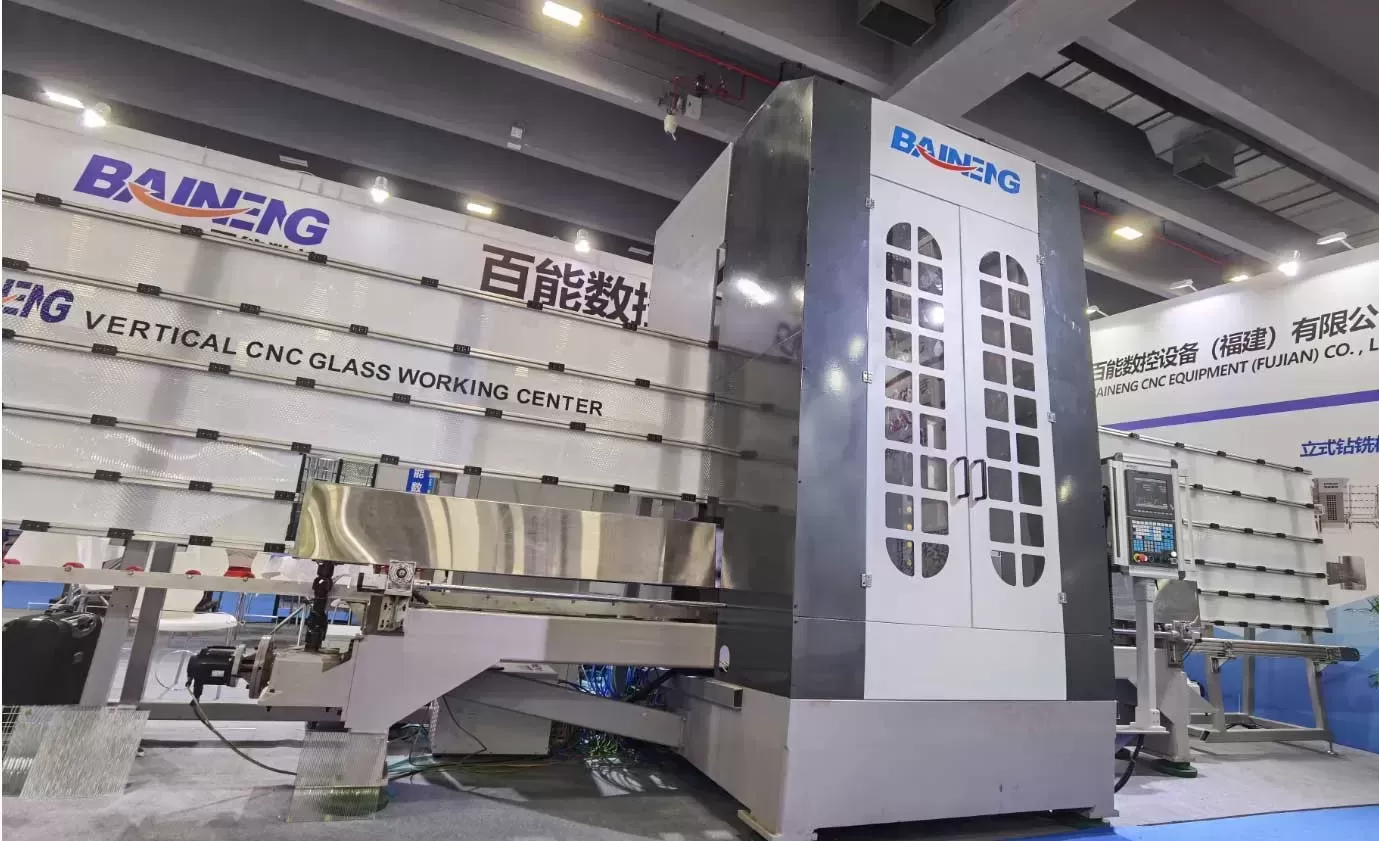
Selecting the Right Software Stack for Your CNC Glass Engraving Workflow
A typical industrial workflow includes design, CAM, and control layers. For glass engraving, the recommended stack includes:
Design & vector preparation: Adobe Illustrator (for logos/text) + Aspire/Carveco for 3D reliefs.
Toolpath generation: VCarve Pro for 2D/2.5D, Fusion 360 for multi-axis/3D.
Machine control: Mach4, UCCNC, or RichAuto DSP with custom macros for glass pecking.
Integration layer: BAINENG CNC’s unified driver package, which includes pre-tested post-processors for all above software, ensuring that spindle speeds, coolant, and probing cycles execute correctly. This reduces debugging time from days to minutes.
For businesses processing thousands of glass panels per month, investing in software automation is not optional. Features like batch processing, nested toolpath templates, and automatic tool wear compensation directly impact throughput and quality consistency.
One often overlooked aspect is simulation fidelity. Standard air-cutting simulation is insufficient for glass. The best tools offer stress-heat simulation based on material library data. For instance, Carveco’s advanced simulation calculates thermal buildup at each toolpath point, alerting the operator if a zone exceeds 60°C (softening point of many glass coatings).
Frequently Asked Questions (FAQ)
Q1: Is glass engraving software compatible with all CNC controllers? Do I need a specific post-processor?
A1: Not directly. Each CNC controller (Syntec, Fanuc, LinuxCNC, RichAuto) uses a dialect of G-code. The software must export using a matching post-processor. Most professional software like VCarve Pro or Fusion 360 include generic post-processors, but for advanced glass cycles (pecking, probe mapping), custom modifications are often required. BAINENG CNC provides validated post-processors for all its glass engravers, eliminating compatibility risks.
Q2: Which software best handles 3D relief engraving on curved glass surfaces (e.g., wine bottles or glass domes)?
A2: For rotary-axis engraving on curved glass, Fusion 360 with its 4-axis wrapping module is the top choice. It allows mapping of 3D reliefs onto cylindrical coordinates while maintaining constant surface speed. LightBurn’s rotary wizard is faster for simple 2D markings, but lacks true 3D Z-axis modulation. For high-end 3D glass art, Carveco combined with a rotary attachment and a BAINENG CNC 4-axis glass engraver delivers superior results.
Q3: How can I avoid chipping when engraving near the edges of tempered glass?
A3: Edge chipping occurs due to stress concentration. Software solutions: use VCarve Pro’s “last pass offset” function – set a 0.02mm final pass at 50% feed rate. Additionally, design toolpaths to start 5mm inside the edge and gradually move outward. EnRoute’s “bridge” feature leaves 0.1mm micro-connections along the edge that are manually broken post-engraving. Always pre-anneal edges if possible.
Q4: Is there any open-source or free software adequate for professional glass engraving?
A4: Free tools like Inkscape (with Gcodetools plugin) or ESTLCAM can handle simple 2D line engraving on glass, but they lack depth control, peck drilling cycles, and glass-specific material libraries. For B2B production where rejects are costly, open-source solutions are not recommended due to missing thermal simulation and adaptive probing. Commercial software pays for itself through reduced scrap and higher surface finish quality.
Q5: Does the software need to support high-resolution grayscale images for photo engraving on glass?
A5: Yes, if you produce photo-realistic glass engravings (e.g., memorial plaques or decorative portraits). VCarve Pro and LightBurn have dedicated photo engraving modules that convert 16-bit grayscale images to variable-depth toolpaths. The software calculates dot density and depth (dark areas = deeper engraving). For best results, use a diamond drag bit with 0.1mm tip and a stepover of 0.04mm. Resolution should support at least 300 DPI input.
Q6: Can the same software be used for both glass engraving and glass drilling (e.g., through holes for hardware)?
A6: Yes, advanced CAM software like Fusion 360 includes drilling cycles specifically for brittle materials. Parameters such as peck depth (0.1mm per peck), full retraction, and spindle speed reduction at breakthrough are configurable. However, through-hole drilling often requires diamond core bits, and the software must support dwell-free retraction. VCarve Pro's drilling module is limited to shallow holes (<3mm); for thicker glass, use Fusion 360’s “deep hole drilling with chip breaking”.
Conclusion & Integration Recommendations
Choosing the top glass engraving software tool is not about picking a single name—it is about matching capabilities to your specific glass types, production volume, and part complexity. For high-mix workshops with varied artistic demands, VCarve Pro combined with LightBurn offers flexibility. For fully automated, high-volume architectural glass lines, EnRoute with adaptive probing is superior. And for 5-axis or rotary glass sculpture, Fusion 360 is the only viable solution.
Hardware and software must be treated as a unified system. Many performance issues (chatter, overheating, broken bits) originate from post-processor mismatches or missing macros. To avoid these integration pains, consult with a manufacturer that provides end-to-end validation.
Ready to optimize your glass engraving production line? The technical team at BAINENG CNC offers personalized software selection and post-processor configuration services. Whether you need a turnkey solution with pre-installed software stacks or assistance retrofitting your existing machine, we provide remote tuning and on-site calibration. Send your production requirements (glass types, maximum part dimensions, daily output, and desired engraving depth/accuracy) to our engineering department. We will respond within 24 hours with a recommended software-hardware matrix and a custom quote.
Submit your inquiry now: Describe your glass engraving application (e.g., automotive glass marking, decorative panels, electronic glass etching). Include preferred software if any. Our application engineers will share specific parameter templates, post-processor files, and a proposal for BAINENG CNC engraving systems optimized for your chosen software. Direct all inquiries to the B2B sales engineering team – no obligation, only technical solutions.