



Best Glass Etching Machines for Beginners 2025
The best glass etching machines for beginners 2025 are those that offer a combination of user-friendly operation, robust safety features, and high-quality results. For someone new to the world of decorative glass, selecting a first machine can be a daunting task. The market is filled with options, each with its own technology and capabilities. This definitive guide provides a clear and professional analysis of the top choices for beginners. It demystifies the technology, evaluates the key features to consider, and offers a strategic framework for making a smart, informed investment. This will help you launch your journey into glass etching with confidence.
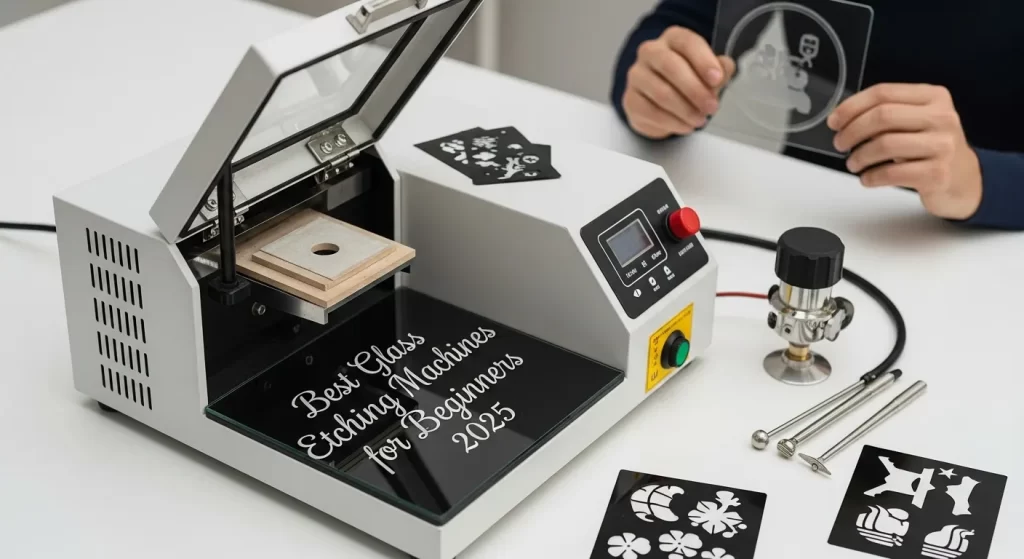
What Defines the Best Glass Etching Machines for Beginners?
The best glass etching machines for beginners are defined by a balance of accessibility, safety, and performance. A great beginner machine is easy to set up and operate. It has built-in safety features to protect the new user. It is also capable of producing high-quality, professional-looking results. The focus is on a low learning curve without a major sacrifice in the quality of the final product.
How Does "Beginner-Friendly" Go Beyond Price?
A "beginner-friendly" machine goes far beyond just a low price point. While affordability is important, true value for a beginner lies in ease of use. This includes intuitive software, a straightforward setup process, and clear documentation. A cheap machine that is difficult to use or poorly supported will only lead to frustration. A good beginner machine is a complete package. It supports the user from the initial design to the final etched product.
What Are the Key Technologies for Beginners?
The two key technologies for a beginner to consider are laser etching and abrasive sandblasting. Laser etching uses a focused beam of light to create a frosted mark. It is known for its precision and ease of use with digital designs. Sandblasting uses a high-pressure stream of abrasive media to create a deeper, more textured etch. Both are excellent methods, but they offer different workflows, finishes, and price points.
Why is Safety a Top Priority for a First Machine?
Safety is the absolute top priority when choosing a first machine. Both laser and sandblasting technologies have inherent risks if not managed properly. The best beginner machines have integrated safety features. For lasers, this means a fully interlocked enclosure that prevents exposure to the laser beam. For sandblasters, it means a well-sealed cabinet that contains the abrasive media and dust. A safe machine allows a beginner to focus on learning the creative process without unnecessary worry.
What is the Best Technology for a Beginner? (Laser vs. Sandblasting)
The choice between laser and sandblasting technology is the first major decision a beginner must make. A laser etcher offers digital precision and a clean workflow. A sandblasting system offers a traditional deep etch and a lower initial cost. The best choice depends on the user's intended projects, budget, and comfort level with the technology.
How Does Laser Etching Work for Beginners?
Laser etching works by using a computer-controlled laser beam to heat and fracture the surface of the glass. The process is entirely digital. A design is created on a computer. It is then sent to the laser machine, much like printing a document. The laser then automatically traces the design on the glass. It creates a precise, frosted mark. The glass laser etching technology explained in detail is a thermal, non-contact process. It is exceptionally clean and quiet compared to other methods.
What Are the Advantages of a Laser Etcher for a Beginner?
A laser etcher offers several compelling advantages for a beginner.
- Ease of Use: The digital workflow is very intuitive for anyone familiar with a computer.
- Precision: It can reproduce extremely fine details and complex designs with perfect accuracy.
- No Consumables: There is no abrasive media to buy or manage.
- Versatility: Many laser machines can also cut and engrave other materials, like wood and acrylic.
- Quiet and Clean: The process is relatively quiet and contained within the machine's enclosure.
How Does a Sandblasting System Work?
A sandblasting system works by propelling a fine abrasive media, like aluminum oxide, at high pressure against the glass surface. A stencil or mask is used to protect the areas of the glass that are not to be etched. The abrasive particles physically erode the exposed glass. This creates a deep, textured, frosted finish. The system requires an air compressor to supply the high-pressure air.
What Are the Advantages of Sandblasting for a Beginner?
Sandblasting offers its own unique set of advantages for a beginner.
- Lower Initial Cost: A basic sandblasting cabinet and compressor are often less expensive than a laser machine.
- Deep Etch: It can create a much deeper, more heavily textured etch than a laser. This can be desirable for certain artistic effects.
- Simple Mechanics: The technology is purely mechanical and can be easier to understand and maintain for some users.
- Traditional Finish: It produces the classic, traditional sandblasted look that many customers recognize and desire.
How Do They Compare for a Beginner's Workflow?
A direct comparison highlights the key trade-offs a beginner must consider.
| Feature | Laser Etcher | Sandblasting System |
| Initial Cost | Higher | Lower |
| Ease of Use | Very High (Digital) | Moderate (Physical setup) |
| Level of Detail | Extremely High | Good to Moderate |
| Consumables | Minimal (Laser tube life) | High (Abrasive media, stencils) |
| Workflow | Clean, quiet, digital. | Messy, noisy, physical. |
| Safety | Requires beam enclosure and fume extraction. | Requires sealed cabinet and dust collection. |
What Are the Top-Rated Beginner Machine Archetypes in 2025?
The best glass etching machines for beginners 2025 fall into a few key archetypes. These are not specific brands but categories of machines that offer a good balance of features, price, and ease of use for a newcomer. By understanding these profiles, a beginner can better match a machine to their specific goals and budget.
Machine Profile 1: The Entry-Level CO2 Laser Etcher
This machine is the ideal starting point for a beginner focused on digital design and personalization. It is typically a desktop-sized CO2 laser with a power of 40-60 watts. It is perfect for etching glassware, small awards, and personalized gifts. Its enclosed design and user-friendly software make it a safe and accessible entry into the world of laser technology. The market for these hobbyist-level machines has grown significantly. [Insert Credible Statistic/Study Source A on the hobbyist laser market].
| Feature | Typical Specification |
| Type | CO2 Laser |
| Power | 40W - 60W |
| Work Area | Small (e.g., 300mm x 500mm) |
| Key Feature | User-friendly software, enclosed design. |
| Ideal For | Personalized gifts, glassware, detailed designs. |
Machine Profile 2: The All-in-One Sandblasting Cabinet
This archetype is for the beginner who wants the traditional, deep look of a sandblasted etch. It is a benchtop-sized cabinet that contains the entire process. It includes a blasting gun, gloves, a viewing window, and an internal light. The user provides their own air compressor. This setup is perfect for artists and craftspeople who enjoy a more hands-on process and want to achieve a deep, high-contrast finish on their work.
| Feature | Typical Specification |
| Type | Abrasive Sandblaster |
| Size | Benchtop Cabinet |
| Required | External Air Compressor |
| Key Feature | Sealed cabinet for containment, low initial cost. |
| Ideal For | Deep etching, bold designs, artistic work. |
Machine Profile 3: The Upgraded Hobbyist Laser with Rotary
This machine is for the ambitious beginner who has plans to start a small business. It is a step up from the entry-level laser. It offers a slightly larger work area and more power (60-80W). Its most important feature is the inclusion of a rotary attachment. This device allows for the easy and precise etching of cylindrical objects like wine glasses and bottles. This capability opens up a huge market for personalized drinkware. This is a key part of glass engraving for decor and branding.
| Feature | Typical Specification |
| Type | CO2 Laser |
| Power | 60W - 80W |
| Work Area | Medium (e.g., 600mm x 900mm) |
| Key Feature | Includes a rotary attachment for cylindrical items. |
| Ideal For | Small business, high-volume glassware personalization. |
What Key Features Must a Beginner Evaluate Before Buying?
Before making a final purchase, a beginner must carefully evaluate several key features. These features will determine the machine's capabilities, its ease of use, and its suitability for the user's intended projects. A thoughtful evaluation of these points will lead to a much more successful and satisfying purchase.
How Important is the Machine's Work Area Size?
The machine's work area, or bed size, is a critical feature. It dictates the maximum size of the object you can etch. A beginner should think carefully about what they want to create. If the focus is on small items like drinkware or coasters, a small work area is sufficient. If the user wants to etch larger items like decorative panels or signs, they will need a machine with a larger bed. It is often wise to choose a machine with a slightly larger work area than you currently need. This provides room for future growth.
What is the Role of Software for a Beginner?
The role of software is paramount for a beginner, especially with a laser machine. The software is the primary interface with the machine. It should be intuitive, reliable, and easy to learn. The best beginner machines come with software that is well-documented and has a large online community for support. The software should be able to easily import common file types like SVG, DXF, JPG, and PNG. Some of the top glass engraving software tools are known for their user-friendly interfaces.
Why Should a Beginner Focus on Safety Features?
A beginner must make safety features a top priority. For a laser, this means a fully enclosed and interlocked cabinet. The interlocks should automatically shut off the laser if the lid is opened during operation. The viewing window must be made of a material that is rated to block the specific wavelength of the laser. The machine must also have a robust fume extraction system. For a sandblaster, the cabinet must be well-sealed to prevent abrasive dust from escaping. These features are the core of how to engrave glass with laser safely.
What is a Rotary Attachment and Why is it Useful?
A rotary attachment is a motorized device that holds and rotates cylindrical objects, like glasses, bottles, and mugs. It replaces the flat workbed in a laser machine. As the laser head moves back and forth, the rotary attachment slowly turns the object. This allows for a continuous design to be etched around its circumference. For any beginner interested in the highly popular market for personalized drinkware, a machine that includes or can be upgraded with a rotary attachment is an essential feature.
How Do You Assess Power and Speed Ratings?
Assessing power and speed can be confusing for a beginner.
- For Lasers: Power is measured in watts (W). A higher wattage (e.g., 60W vs. 40W) allows for faster etching speeds. For a beginner working only with glass, a 40-60W laser is more than sufficient.
- For Sandblasters: The key rating is the air requirement, measured in cubic feet per minute (CFM) at a certain pressure (PSI). You must ensure that your air compressor can supply the CFM required by the sandblasting gun. An undersized compressor will result in poor performance.
How Does Laser Etching Compare to Other Decorative Methods?
For a beginner, it is helpful to understand where laser etching fits in the broader world of decorative glass. Its capabilities are distinct from other methods like CNC engraving and traditional chemical etching. This understanding helps to clarify why a laser is often the best choice for a newcomer.
What is the Etching vs. Engraving Distinction for a Beginner?
The etching vs. engraving distinction is a crucial one. As the guide on the difference between glass engraving and etching explains, etching creates a frosted surface finish. Engraving carves a deep groove into the glass. For a beginner, laser etching is generally easier and safer to learn than CNC rotary engraving, which involves a physical cutting tool and a liquid coolant system. The laser engraving vs cnc engraving for glass debate for beginners often favors the laser's simplicity.
How Does Laser Etching Compare to Chemical Etching?
Laser etching is a far safer and more versatile alternative to chemical etching. As the article on laser vs. chemical glass etching details, chemical etching uses highly hazardous hydrofluoric acid. This requires extensive safety precautions and is not suitable for a home or small workshop environment. A laser achieves a similar frosted look without any dangerous chemicals. It also offers a much higher level of detail than is possible with a chemical-and-stencil process.
What Are Key Considerations for a Beginner's Workshop?
Setting up a space for a new glass etching machine requires some planning. A beginner must consider the physical space, the ventilation needs, and the support systems they will need to be successful. A well-prepared workspace is a safe and efficient workspace.
What Are the Space and Ventilation Requirements?
The machine's footprint is the first consideration. You must have a sturdy table or workbench that can support the machine's weight. You also need clearance around the machine for access and material handling. The most critical requirement is ventilation. A laser etcher produces smoke and fumes that must be exhausted to the outdoors. The machine's fume extraction fan must be connected to a dedicated vent. This is a non-negotiable safety requirement.
What is the Importance of Manufacturer Support and Community?
For a beginner, the quality of the manufacturer's support is almost as important as the quality of the machine itself. Look for companies that have a good reputation for customer service. They should provide clear documentation, video tutorials, and responsive technical support. A large and active online user community is also an invaluable resource. Fellow users are often the best source for professional glass engraving tips and troubleshooting advice.
How to Factor in the Cost of Consumables?
A beginner must factor the ongoing cost of consumables into their budget.
- For Laser Etchers: The main consumable is the laser tube itself, which has a finite lifespan (typically 1,000 to 10,000 hours). The cost of a replacement tube should be considered.
- For Sandblasting Systems: The consumables are the abrasive media, the stencils (typically vinyl), and the nozzles for the blasting gun, which wear out over time. These costs can add up, especially for high-volume work.
Conclusion
The best glass etching machines for beginners 2025 are those that provide a safe, reliable, and accessible path into the rewarding world of glass artistry. The choice between a precise and clean laser etcher and a traditional, deep-cutting sandblaster is a personal one. It should be based on a thoughtful assessment of your creative goals, your budget, and your workspace. By focusing on user-friendly software, robust safety features, and strong manufacturer support, a beginner can confidently select a machine. This machine will not just be a tool, but a true partner in creativity for years to come.